
Multiplayer control
One looper device, many remote controls. Connect from any phone or tablet on your Wi-Fi.
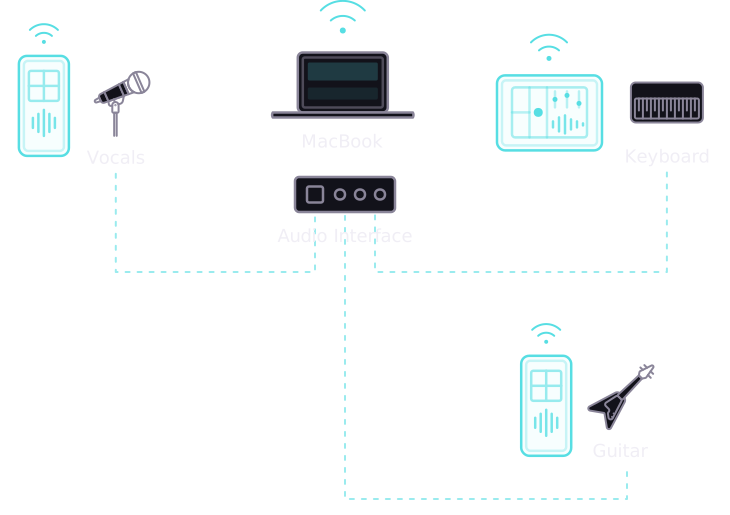
Re-loop through FX
Instantly re-loop your audio through effects chains. Layer and transform on the fly with a built-in suite of dynamic effects that stay in perfect sync with your jam.
Retrospective looping
Loop what you just played. Sangha is always listening — capture the magic whenever you like.
First loop BPM
Set your tempo instantly from your first loop. No click tracks needed — just play and go.
Ableton Link
Stay in sync with Ableton Live and any Link-enabled app on your network. Seamlessly integrate with other musicians, sequencers, and drum machines.
Standalone & VST3
Run as a standalone macOS app or drop the VST3 plugin straight into your DAW. Whether you're playing live on stage or producing in the studio, Sangha adapts to your workflow.
Downloads
Get Sangha
Note for macOS users
Because Sangha is an experimental developer app, it is currently "unsigned." This means your Mac's built-in security will block the app from opening.
Use this quick Terminal trick to get things working:
- Open the Terminal app on your Mac (you can find it using Spotlight search).
- Type the following command, making sure to leave a single space at the end:
xattr -d com.apple.quarantine - Drag and drop the downloaded Sangha app or
.vst3file directly into the Terminal window. This will automatically fill in the correct file path for you. - Press Enter.
You can now open the app or plugin!
We'd love your feedback
Found a bug? Have a feature idea? Let me know
 Made with by Bill Tribble, Actual Vibes Ltd